Timing-aware compute

Make compute timing a product decision, not an afterthought.

Util turns hourly electricity cost and carbon signals into a premium scheduling workflow for flexible workloads, so teams can run at better times without sacrificing deadlines.

Optimization
Cost + carbon
Experience
Desktop-first
Output
Actionable schedule
Optimized schedule preview
Flexible GPU batch
Preferred window found
Runtime
3h 20m
Deadline
07:30
Savings
-39%
Window analysisPacific region
1:00
2:00
3:00
4:00
5:00
6:00
7:00
Run now
3.2 kWh equivalent forecast
$18.40
6.2 kg CO2e
02:00 - 05:00
3.2 kWh equivalent forecast
$11.10
3.8 kg CO2e
04:00 - 07:00
3.2 kWh equivalent forecast
$10.70
4.1 kg CO2e
Overview

A marketing site for the same product family as the app

This site explains the product narrative with a more presentation-focused layer, while keeping the visual language grounded in the Util application itself.

Decision engine
Util turns time-varying energy signals into an understandable run recommendation instead of leaving timing to habit.
Operator-focused UX
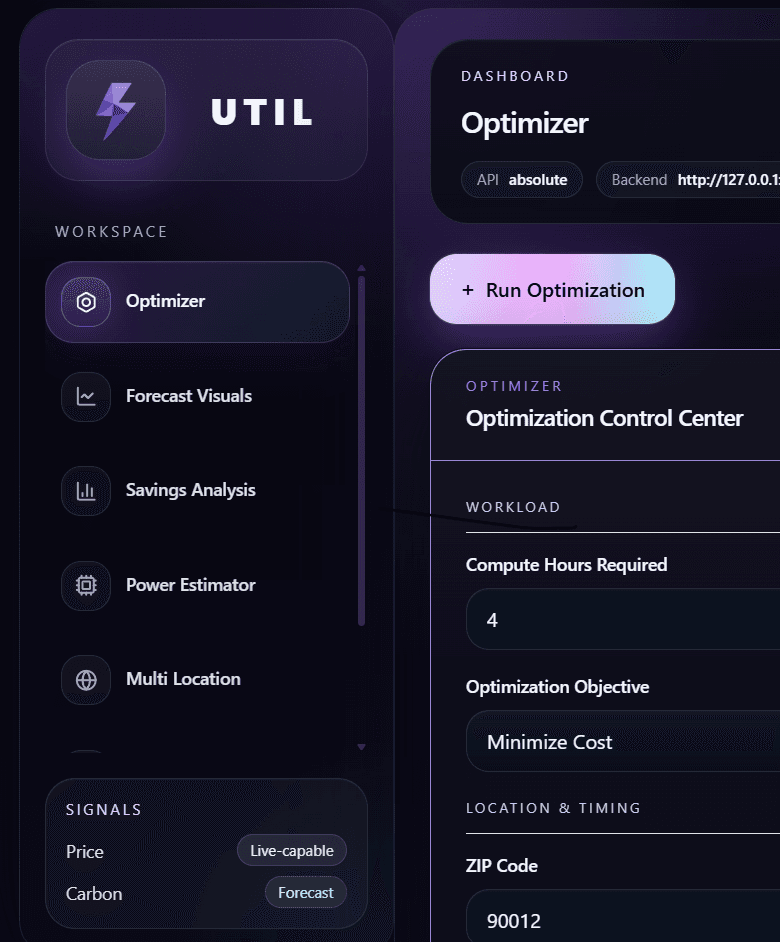
The experience is framed like a premium dashboard: concise metrics, schedule comparisons, and visible tradeoffs.
Desktop app direction
The real product is downloadable software. This site is the polished public entry point for that story.
Built for flexible workloads
Batch jobs, model training, rendering, ETL, and overnight tasks all benefit when timing becomes intentional.
Product preview

Hero product image slot

Drop your final hero render or screenshot into `/previews/hero-product-preview.png` and it will appear here automatically.

Expected file
/previews/hero-product-preview.png
Add the main marketing screenshot or rendered product preview here. A 4:3 image works best.
Problem and solution

The timing of compute is often controllable, but the signals that should guide it are hidden

Util closes that gap by comparing possible windows and producing a recommendation users can understand quickly.

The problem

Static schedules ignore volatile cost and grid conditions.

Many jobs have a deadline, not a hard start time. Running immediately often means paying for urgency that was never required.

The solution

A timing-aware workflow with legible tradeoffs.

Util models the horizon, scores candidate windows, and returns a schedule recommendation with the context needed to trust it.

Workflow

How it works

The product story is straightforward: define the job, evaluate the horizon, and choose the best window.

1. Capture workload intent
Define runtime, deadline, region, and whether the run should bias toward lower spend, lower carbon, or a deliberate balance.
2. Score the available windows
Util compares forecasted hours instead of assuming now is best, surfacing measurable tradeoffs across the scheduling horizon.
3. Act on a recommendation
The output is a usable run plan with enough context to trust the timing decision before desktop automation arrives.
Output

A more convincing example schedule visualization

The goal is not just to show that optimization exists, but to make the recommendation feel explainable and credible.

Run comparison

Run-now versus optimized-window planning

Marketing copy should still feel product-shaped. This module previews the kind of UI detail users can expect from the desktop app.

Run-now cost
$18.40
Best window
$10.70
Option 1
Run now
$18.40
6.2 kg CO2e
Option 2
02:00 - 05:00
$11.10
3.8 kg CO2e
Option 3
04:00 - 07:00
$10.70
4.1 kg CO2e
Call to action

Follow Util as the downloadable product takes shape.

This site is already structured for launch materials, future downloads, and richer product media as the desktop app gets closer to release.

Future brand asset slot: replace the shared logo files in `/brand/` when they are ready.Download page asset slots